domingo, 28 de octubre de 2018

New Tutorials: Six Word Memoirs

Hello, again!

This is the last (but not least) tutorial I will be posting.

This tool is very popular these days and it is called...
Resultado de imagen para six word memoir


According to legend, Ernest Hemingway was challenged to write a short story using only six words. He came up with: “For sale: baby shoes, never worn.”
Six-word stories are a great way to practice your writing without actually having to write much. 
Six-Word Memoirs® is a simple way to engage and inspire anyone and everyone to get to the essence 
www.sixwordmemoirs.com is an online tool for writing and sharing with others your own six-word memoirs. Six words that tell a story about your life, your dreams, your beliefs, etc.
Six-word memoirs foster creative writing among students. Tompkins (1982) suggests seven reasons why children should write stories (these reasons, of course, also apply to writing poetry):
  • to entertain
  • to foster artistic expression
  • to explore the functions and values of writing
  • to stimulate imagination
  • to clarify thinking
  • to search for identity
  • to learn to read and write
While writing certainly should be enjoyable, and children should have opportunities to choose their own subjects and methods of writing, the importance of creative writing in developing children's cognitive and communication skills cannot be underestimated (Tompkins, 1982).

Follow this simple TUTORIAL to see how to use Six-Word Memoirs

STEP 1
Go to https://www.sixwordmemoirs.com and create a free account. 

STEP 2

Scroll down and you can start writing your six-word memoir. As simple as that.


STEP 3

Once you’ve finished writing your six-word memoir, a saving chart will appear. You will have to select a topic or category in which your six-word memoir would be saved. You can add a picture if you want and a backstory.


STEP 4

Your six-word memoir is ready and other users will be able to read it and make comments. You can also share it through Twitter, Facebook and Tumblr.


References:
Six Word Memoirs Home. (n.d.). Retrieved from https://www.sixwordmemoirs.com/
Teaching Creative Writing. (2013, November 07). Retrieved from http://www.readingrockets.org/article/teaching-creative-writing

3 Lessons, 3 tools (Part 3)

*If you want to check the previous lesson, click here

Language school
Age: 15/16 years old
Level: Intermediate
Allotted time per lesson: 1hr and 30 minutes


SIX WORDS MEMOIRS - LESSON #3


WARMER

The teacher will paste some cards on the board with sentences. These sentences will actually be six-word-stories.
For example:

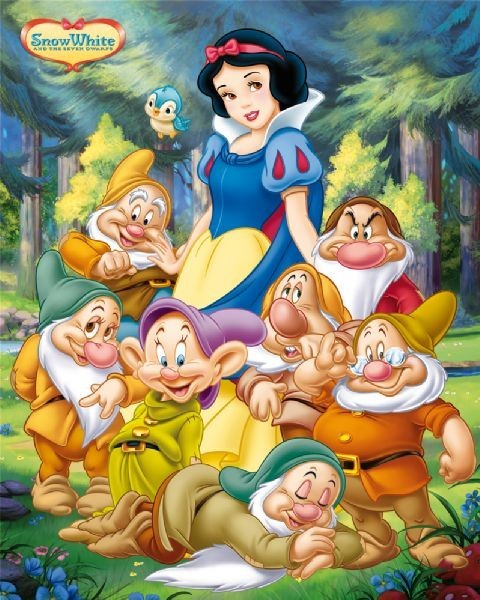
“POISONED APPLE DISLODGED. COFFIN TO ALTAR”

“CURSED SHE SLEPT.KISSED SHE AWOKE”

“CHILDREN ABANDONED IN FOREST.RETURNED WEALTHY”

Resultado de imagen para snow white and the seven dwarfs     Resultado de imagen para hansel and gretel Resultado de imagen para sleeping beauty

She will also paste some pictures of fairy tales. Some students will go to the board and match the sentences to the correct picture.

Then, she will lead a discussion about the sentences and will introduce the idea of “Six-word stories”. Some questions that can be asked to trigger the discussion can be:


  • Look at these sentences, do they tell what each of the fairy tales is about?
  • What is the difference between telling the whole story and telling the story in a short sentence?


After the teacher explains what a “six-word story” is, she will tell the students they are going to write a six-word story based on the fairy tale they have been working with. To do this, they will first write some drafts. This activity could be done individually, in pairs or the whole group (the groups in which they are since lesson 1). They get to choose.

WEB

First, students will follow a tutorial about Six-Word Memoirs in this link After that, students can start using the tool and writing their six-word stories. They will have to save it in the “Teens” topic and attach a picture with it.
Resultado de imagen para six word story

Then, they will have to take a screenshot of the six-word story, save it and send it to the teacher by email.

Finally, the students will have to post the screenshots of their six-word stories on their virtual classroom and add the following question with options for other students and parents to participate:

What is the name of this six-word story?


  1. Little Red Riding Hood?
  2. The Three Little Pigs?
  3. Cinderella?

Also, students will have to vote their favourite six-word story and make a comment explaining why.
The teacher will check that every student votes and writes a comment.

WHAT’S NEXT

When they finish, the teacher will print the screenshots and students will paste them below the comic strips in the shared wall. 

Finally, students will have to write a short reflection about the whole project working with fairy tales and the new tools and hand it in to the teacher.
The teacher will tell the students that they are doing to pass their drafts of their six-word stories to a webpage called “Six Words Memoirs”. Before they get started, she will show a brief tutorial of how to use this tool.

Resultado de imagen para reflection cartoonSome guidance for the reflection task:

Did you enjoy working with fairy tales? Why?
Was the use of the new tools interesting for you? Why?
If you had the opportunity to change something of what you did, what would it be?


At the end of the class, the teacher will give each student the following evaluation rubric with the score they got for all the work they did.


Theoretical Frameworks


SAMR Model
It could be said that the task in this lesson implies just to rewrite a draft of a six-word story in the Six Words Memoir online tool and we will be talking about the Substitution step in the SAMR Model since computer technology is used to perform the same task as was done before the use of computers. This task can be very well done on paper.

However, the task does not end there. The following step is to share it in the virtual classroom and students have to interact and involve others (parents and students from other courses). This task is in the Redefinition stage of the SAMR Model since without technology this activity will not be carried out. 


The Triple “E” Framework
The theoretical framework developed by Liz Kolb (2017) encourages teachers to go beyond an instrumental use of technology and consider how it can extend and enhance learning goals. The framework is based on three components: Engagement in learning goals, Enhancement of learning goals and Extension of learning goals.

Engagement: By using this tool, students have to focus on the way the website works and on writing their own six-word stories. This motivates students because as they write and publish their story, they can read others from other teenagers like them

Enhancement: In this case, this tool cannot “aid, assist and scaffold learning in a way that could not be achieved by traditional methods” because the website does not offer, for instance, an error correction tool for writing. Students have to write six words, make a story and that’s it. 

Extension: Six Words Memoirs offers ways to connect students with their every day lives since students can share their memoirs or stories through different social media networks such as, Twitter, Facebook and Tumblr. This is a way of creating a bridge between school learning and the real world.


References:

Banegas, Mario López-Barrios, et.al (Ed.), Adapting to meet diverse needs in ELT

SAMR Model - Technology Is Learning. (n.d.). Retrieved from https://sites.google.com/a/msad60.org/technology-is-learning/samr-model


3 Lessons, 3 tools (Part 2)

If you want to check the previous lesson, click here

*In a previous lesson, the students had to share with their groups what they remembered about the story they read as homework and they would have to retell it. 
Also, in this lesson, students had to get with their groups and create a draft of comic strip of the alternative ending for their story that has to be set in 2018, Argentina.

STORYBOARDTHAT - LESSON #2

Language school
Age: 15/16 years old
Level: Intermediate
Allotted time per lesson: 1hr and 30 minutes

WARMER

The teacher will show a comic strip of an alternative ending for “Little Red Riding Hood” she created on her own and she will open a discussion with the class about what they know about the story and what the comic strip shows.


The teacher will tell the students that the comic strip she showed was made in a website called “StoryboardThat”. She will tell the students they are going to pass the comic strip draft they created the previous lesson to the website.


WEB

Then, she will show a brief tutorial which shows how to use StoryboardThat. The link to the tutorial is this one

Resultado de imagen para storyboardthat

The students will go to the site www.storyboardthat.com and they will start creating their comic strip using the “FREE TRIAL” option.


WHAT’S NEXT

Each group will present their comic strip which will be projected through a beamer. They will have to read the bubbles and act it out. After each group presents their comic strip, they will have to upload the comic strip to the language school virtual classroom and post a question for the rest of the students to answer.
For example:

  • Did you like our alternative ending? Why?
  • Is there any changes you would do to the ending?


Also, they will have to vote their favourite.

The parents have access to the virtual site so they will also have the opportunity to collaborate, vote and comment if they want to.

In addition, students will have to print their comic strips and paste them under the Fakebook profiles in the shared wall at the language school.


Theoretical Frameworks

SAMR model - Redefinition stage
In the previous lesson, the SAMR Model was mentioned and explained. In this case, the Redefinition stage is being applied with the use of digital comic strips. In the Redefinition stage, technology allows for modification of the task through to complete redefinition. Technology allows for the creation of new tasks, previously inconceivable. 

In this lesson, students share their comic strips with other students, teachers and parents through a virtual classroom. In this sense, technology allows for a completely new learning experience which will not be possible without the use of online tools.

Also, another step of the SAMR Model is present in this lesson: Substitution
In the substitution step technology acts as a direct substitute for the original tool, with either no or little functional change or improvement. In this lesson, the students had to create comic strips with an online tool which could be done with paper and pencil. 

However, using StoryboardThat to create the comic strips is more engaging for students because they do not have to draw (some students do not like drawing). They can choose the character and modify its physical characteristics, change the clothes colour, etc and all it’s done with a click! 


Global vs. Local 
Global coursebooks or materials are intended for use in any part of the world by learners of a specific foreign language level and age range.
Local coursebook or material is a global coursebook/ material adapted or localised to make it fit with the learners' background and national curriculum.  
Tomlinson (2003a: 324) favours the localisation of global coursebooks, stressing the fact that for the materials to be successful they necessarily need to 'match the target learners and the environments they are learning in'.
In this lesson, the teacher is making use of the localisation of global materials since she asks the students to adapt the original end of a foreign fairy tale to an alternative ending in which the characters are set in 2018, Argentina. 
By asking the students to create an alternative ending with those setting characteristics, the teacher is transforming the task into a more meaningful one, more familiar to the students in order to motivate them.

References:

Lopez-Barrios, M., & Villanueva de Debat, E. (n.d.). Global vs. Local: Does It Matter? In International Perspectives on Materials in ELT.

SAMR Model - Technology Is Learning. (n.d.). Retrieved from https://sites.google.com/a/msad60.org/technology-is-learning/samr-model


3 Lessons, 3 tools (Part 1)

Language school
Age: 15/16 years old
Level: Intermediate
Allotted time per lesson: 1hr and 30 minutes

The students are going to work with fairy tales.
They defined what a fairy tale is and they also mentioned the most common ones in a brainstorming activity. Then, the teacher divided the students into 3 groups. Each group was assigned with a fairy tale in a raffle.

The fairy tales are the following:

Little Red Riding Hood - Grimm Brothers
Resultado de imagen para little red riding hood grimm brothers

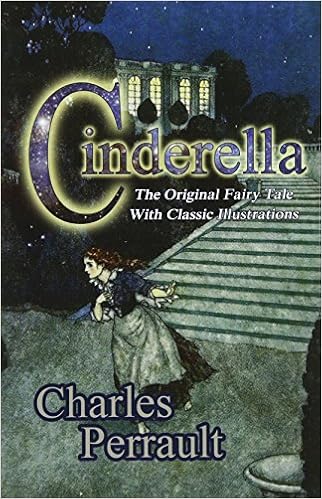
Cinderella - Charles Perrault
Resultado de imagen para cinderella charles perrault

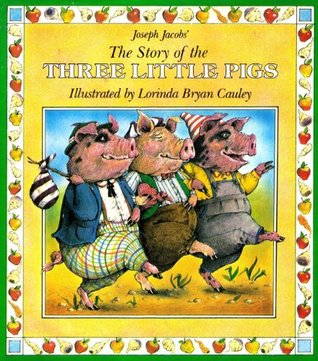
The Three Little Pigs - Joseph Jacobs
Resultado de imagen para the three little pigs joseph jacobs


FAKEBOOK - LESSON #1

They will have to create a profile in Fakebook of the author of the fairy tale. They will have to use the information they gathered using the websites. Students are familiar with Facebook, the social network, so they will find this variation interesting and engaging. 

WARMER


As homework, the students had to read about the authors by themselves. They could use any source. In class, the teacher will give each group some statements about each author and the students will have to discuss in the groups if the statements are true or false. Then, they share as a whole class.


WEB

The teacher will give each group websites to explore and find information about the authors. They will have to take down notes about the following items:

  • When were/was the author(s) born? Where?
  • Where did he/they live?
  • What fairy tales did he/they write?
  • Write any two or more facts about the author(s) you and your group find interesting. 


Grimm Brothers websites:


Charles Perrault websites:


Joseph Jacobs websites:


Resultado de imagen para fakebookThe teacher will show them a tutorial which explains how to use Fakebook at https://beluictple.blogspot.com/2018/10/new-tutorials-fakebook.html

The students will go to http://www.classtools.net/FB/home-page and start working on the profiles.


WHAT’S NEXT

The Fakebook profiles will be shown through a projector and each group will tell the rest about their author. While a group is presenting their author, the rest of the students will have to see if there are any similarities among the authors: about the fairy tales they told, the period of time they were alive, the way they told the fairy tales, etc.

Then, they will print the fakebook profiles (if possible) at the language school and will paste them in a shared wall for all the courses to know about the authors.

As a homework, each group will have to read the fairy tale that was assigned to their group:

Little Red Riding Hood - Grimm Brothers 

Cinderella - Charles Perrault 

The Three Little Pigs - Joseph Jacobs


Theoretical Frameworks


The TPACK Framework 
Technological Pedagogical Content Knowledge (TPACK) attempts to identify the nature of knowledge required by teachers for technology integration in their teaching while addressing the complex, multifaceted and situated nature of teacher knowledge.

Even though the “Content” part is not applied in this lesson, the Pedagogical Knowledge (PK) is. “Teachers’ deep knowledge about the processes and practices or methods of teaching and learning. They encompass, among other things, overall educational purposes, values, and aims. This generic form of knowledge applies to understanding how students learn, general classroom management skills, lesson planning, and student assessment.” (Koehler & Mishra, 2009)

In this lesson, the teacher is aware of how 2018’s students learn. The use of Fakebook in the class makes the activity of creating a profile of an author more meaningful and engaging.
Also, the Technology Knowledge (TK) is applied. “Technology Knowledge (TK) – Knowledge about certain ways of thinking about, and working with technology, tools and resources and working with technology can apply to all technology tools and resources [...]”  (Koehler & Mishra, 2009).

The teacher is well informed about how technology can be used in the classroom to change the traditional ways of teaching and learning.

SAMR Model
The Substitution Augmentation Modification Redefinition Model offers a method of seeing how computer technology might impact teaching and learning.  It also shows a progression that adopters of educational technology often follow as they progress through teaching and learning with technology. (Ruben Puentedura, 2006) 
The use of Fakebook in this lesson belongs to the Modification step in the SAMR Model because without technology the task wouldn’t be possible to be achieved. Technology allows for significant task redesign. Fakebook was designed for students to create profiles for educational purposes and it would not have the same impact if students are asked to create the profile on paper. This is one of the first steps over the line between enhancing the traditional goings-on of the classroom and transforming the classroom. 


References:
TPACK.ORG. (n.d.). Retrieved from http://www.tpack.org/
SAMR Model - Technology Is Learning. (n.d.). Retrieved from https://sites.google.com/a/msad60.org/technology-is-learning/samr-model


martes, 16 de octubre de 2018

New Tutorials: Fakebook

Hello, there again!


In this post, I will talk about another great website you can use with your students.

It is called... 


Resultado de imagen para fakebook


Fakebook is a web-based, free and easy to use teaching tool from ClassTools.net.
Fakebook allows teachers and students to create imaginary profile pages of fictional characters as well as famous scientists, authors of their favourite books, artists, etc. for study purposes.


Resultado de imagen para classtoolsThis tool is a close imitation of Facebook, the social media platform. Social media is in the middle of our students’ every day lives. Teachers should incorporate social media into their classrooms to engage students and support their educational development.

So, what are the benefits of using social media in the classroom?


“Social media promotes self-directed learning, which prepares students to search for answers and make decisions independently. When reinforced in a classroom setting, these social media skills can be guided and refined to produce better learning outcomes and critical awareness.” (Using Social Media as a Learning Tool, 2016)


Also, social media tools are effective ways of increasing students’ engagement. “A student who hardly ever participates in class may get actively engaged in co-constructing his learning experience with his teachers, collaborating with his fellow colleagues, and may feel more comfortable to express himself and to share his resources and ideas on Facebook, Twitter, or YouTube.” (Rdouan, F., Abdellatif, E., & Raddouane, C. 2013)


Resultado de imagen para students and social media
Digging deeper into Facebook as a social media tool, there is a wide number of benefits that using Facebook as an educational tool brings about.  “Four inter-related potential benefits: (1) creating a sense of community and promoting collaboration, (2) enhancing communication between instructors and students, (3) developing computer literacy and language skills, and (4) incorporating current student culture into the learning environment are explored.” (Shaw, C. M. 2017)


References:


Using Social Media as a Learning Tool. (2016, October 14). Retrieved from https://www.ashford.edu/blog/online-learning/using-social-media-as-a-learning-tool

Rdouan, F., Abdellatif, E., & Raddouane, C. (2013, October). Exploring the Potential Benefits of Using Social Media in Education. Retrieved October, 2018, from https://www.researchgate.net/publication/272998596_Exploring_the_Potential_Benefits_of_Using_Social_Media_in_Education

Shaw, C. M. (2017, November 29). Using Facebook as an Educational Resource in the Classroom. Retrieved from http://internationalstudies.oxfordre.com/view/10.1093/acrefore/9780190846626.001.0001/acrefore-9780190846626-e-114

How to use FAKEBOOK?


Follow these simple steps!

STEP 1


Go to the Fakebook homepage in http://www.classtools.net/FB/home-page


Your Fakebook profile page will allow you to save after text entries in a number of fields have been posted. This includes the name of the character, at least one field in the “About” section in the upper left menu bar, and a minimum of five conversation posts.


STEP 2


To name your character, click “Name here” and enter text in the text box. After creating a few posts and saving your template, you will be able to upload pictures directly from your computer.


STEP 3


To add details in the “About” section, click “Born” and enter text in the text box. Also, you can add any number of lines and different sets of information, such as “Hometown,” or “Favorite (music/food/etc.).”


STEP 4

There is a Favourites/Interests section below the “About” section. The “Friends” block is a default, it can be changed by only clicking on it. You can also “add a new block”. Depending on the profile you are creating, you can have different block content.


STEP 5

It’s time to add some posts! Remember, you need to add at least 5 posts to be able to add a profile picture and a cover image. Write the name of your character and the date of the post in the blank boxes and, of course, write something you want your character to say!


STEP 6
Save your profile fakebook. You will receive an http address to access your profile for editing and sharing with others

Here’s a link to a profile fakebook I created as an example https://www.classtools.net/FB/1843-BHYbER

Hope you find it useful and try it with your students!


New Tutorials: StoryboardThat

Welcome to my BLOG, again!


It’s TUTORIAL’S DAY today and I’m going to show you two incredible websites you can use with your students and I’m sure they will love them.

Let’s begin with the first one:

StoryboardThat

StoryboardThat is a website that lets kids create storyboards for learning or fun.
Resultado de imagen para storyboardthat
It is an online storyboard creator that helps visually communicate ideas and concepts to quickly tell a story. It provides templates in which you can create your stories in a comic strip style along with hundreds of scenes, characters, and text bubbles to fill your storyboard's frames. (Saxena, S. 2014)


Storyboardthat offers students the opportunity to be exposed to digital storytelling.
Digital storytelling creates space for students to pursue topics about which they are passionate, grows their learning around assigned topics, and showcases their learning for peers, teachers, and audiences beyond the schoolhouse, all of whom are able to interact with the storyteller. (Dillon, 2014)


Comics are beneficial to learning in the classroom and not just a fun art-enrichment activity. Technology not only changes how we write, but it also changes what writing is. Digital graphic writing is one genre students need to be fluent. (Comic Life in Education, n.d.)


How to use STORYBOARDTHAT?


STEP 1

Go to www.storyboardthat.com and you have two options: you can get your free account clicking on “LOG ON” or you can start creating your storyboard choosing the “FREE TRIAL” option and there’s no need to create an account for that.


STEP 2

Now, you are there! You can start creating your storyboard. First, you should select a scene. The storyboard creator contains over 500 scenes that are divided in categories like Town, School, Work, Historical, etc. You just have to drag and drop a scene into a panel.


When you click on the scene, you will be given options to modify your scene such as the colour, the size and more.


STEP 3

This scene needs characters! By clicking the character bar you will find a lot of characters to choose and, of course, they are sorted into different categories.


If you click on the character, you can edit features such as the skin colour, the clothes colour, makeup, eyes and more! You can even edit their face expression, pose and emotion!

STEP 4

You can add shapes and any kind of objects to your story by clicking on the tabs at the top of the webpage. If you have trouble finding the object you need you can write what you need in the “SEARCH” space. For example, I’ve searched “present”. You can also edit it – the same way you did it with your characters.


STEP 5

By clicking on the textables tab above, you can drag and drop thought and speech bubbles. Inside the bubble, you can type whatever you want.


STEP 6

When you are satisfied with your creation, you can click on the SAVE button below. A save dialogue will pop up. If you have the free account you can only create 2 storyboards per week.
Add the title and the description of your story.


STEP 7

There you are! A complete storyboard saved in your account!


Here's a link to sample production: www.storyboardthat.com/storyboards/belen5026/the-way-up-to-heaven---one-sceneopen_in_new

References

Saxena, S. (2014, June 22). Storyboard That : Online Storyboard Creator. Retrieved from http://edtechreview.in/reviews/1291-storyboard-that-online-storyboard-creator

The Power of Digital Story. (n.d.). Retrieved from https://www.edutopia.org/blog/the-power-of-digital-story-bob-dillon

Comic Life in Education. (n.d.). Retrieved October 13, 2018, from https://homepages.dsu.edu/mgeary/comics/Comic_Life_in_Education.pdf

domingo, 26 de agosto de 2018

Internet-based projects and Webquests

“How to teach English with Technology” – Chapter 4: Internet-based project work

There are many compelling reasons for using Internet-based projects in the classroom:

  ü  They are a structured way for teachers to begin to incorporate the Internet into the language classroom .
  ü  The use of projects encourages cooperative language learning, and therefore, stimulates interaction.
  ü  They can be used simply for language learning purposes but they can also work with other departments and subject areas, giving students a more “real world” look and providing greater motivation for the learner.
  ü  They encourage critical thinking skills. Learners have to transform information in order to achieve a given task

Project work online can range from a simple low-level project like making a poster presentation about a famous person to high-level investigate work where learners research a subject and present polemical views and opinions in a report or debate. In order to prepate for Internet-based project work, you will need to do the following:

ü  Choose the project topic
ü  Make the task clear (what information will they need to find?)
ü  Find the resources (Which website do they need to visit?)
ü  Decide on the outcome (What is the final purpose of the project? )

Internet-based simulations
They bring real life contexts to the classroom and help our learners to deal with situations that they may come across during foreign travel or in encounters with other speakers of English.
Internet gives students access to authentic websites that provide stimulating and relevant content that enables them to carry out these simulations.

WEBQUEST

Webquests are mini-projects in which a large percentage of the input and material is supplied from the internet. They can be teacher-made or learner-made.
According to Bernie Dodge, “A webquest is an inquiry-oriented activity in which some or all of the information that learners interact with comes from resources on the Internet.”

There are two types of webquests:

  ü  Short term webquests: Lerarners grapple with a significant amount of new information and made sense of it. A short-term webquest may spread over some classes and involve learners in visiting a selection of sites to find information and using it in the class to achieve a set of learning aims

  ü  Longer-term webquests: Lerarners analyze a body of knowledge deeply, transforming it in some way. They will have demonstrated an understanding of the material by creating something that others can respond to, online or offline. Learners transform the information they acquire turning it into a new product: a report, presentation, interview or survey.


There are four steps to work with a webquest:

1)      INTRODUCTION:  It involves giving background information on the topic  and in the language learning context
2)      TASK: explains what laerners will have to do. It has to be motivating and interesting for them.
3)      PROCESS: It guides the learners through a set of activities and research task, using a set of predefined resources.
4)      EVALUATION: Self-evaluations or teacher evaluation


REFERENCES:

Hockly, N., & Dudeney, G. (2007). How to Teach English with Technology.:

“Internet – based Project Work” England: Pearson Longman. 


This is the link to my webquest:

STOP PHUBBING CAMPAIGN!


New Tutorials: Six Word Memoirs

Hello, again! This is the last (but not least) tutorial I will be posting. This tool is very popular these days and it is called... ...